Hi, so this is my first time using WordPress for… Anything and I’m in need of something to test it with, so I thought, why not ramble a bit about my experience with it and all the good (and bad) things I have to say about it.
First, the bad…
I’m starting with this because… There really isn’t that much bad to say about it. For what I intend to use it for (mainly a place where I can throw words into the void) it’s been pretty good so far. That being said though… It ain’t perfect.
1. Where docs?
From what I could find, the “Installation/How to host page” doesn’t even mention self-hosting at all, it’s just an ad for a couple of hosting providers which… Ok, sure, why not. Luckily, (despite from what I can see it not being mentioned anywhere) a wordpress docker container does exist and it’s… Very simple to setup (you just need a compose with it and MySQL/MariaDB).
name: wordpress
services:
    db:
        image: mysql:<version>
        volumes:
            - db_data:/var/lib/mysql
        restart: always
        environment:
            MYSQL_ROOT_PASSWORD: <password>
            MYSQL_DATABASE: <something>
            MYSQL_USER: <something>
            MYSQL_PASSWORD: <something>

    wordpress:
        image: wordpress:latest
        container_name: wordpress
        ports:
            - 32770:80
        restart: always

        environment:
            WORDPRESS_DB_HOST: db:3306
            WORDPRESS_DB_USER: <something>
            WORDPRESS_DB_PASSWORD: <something>

        volumes:
            - wordpress:/var/www/html

volumes:
    db_data:
    wordpress:

Code language: YAML (yaml)
Though, that wordpress container has some rather odd limitations like being unable to set the wordpress server/site URL from the environment. Again, not a huge deal but kinda annoying if you happen to lose access to the admin page.
2. The theme editor is a mess.
I’m aware that some people may disagree with me on this, but I consider the wordpress theme editor to be kind of an incoherent mess. The design of it isn’t by itself bad, as it’s a carbon copy of figma.
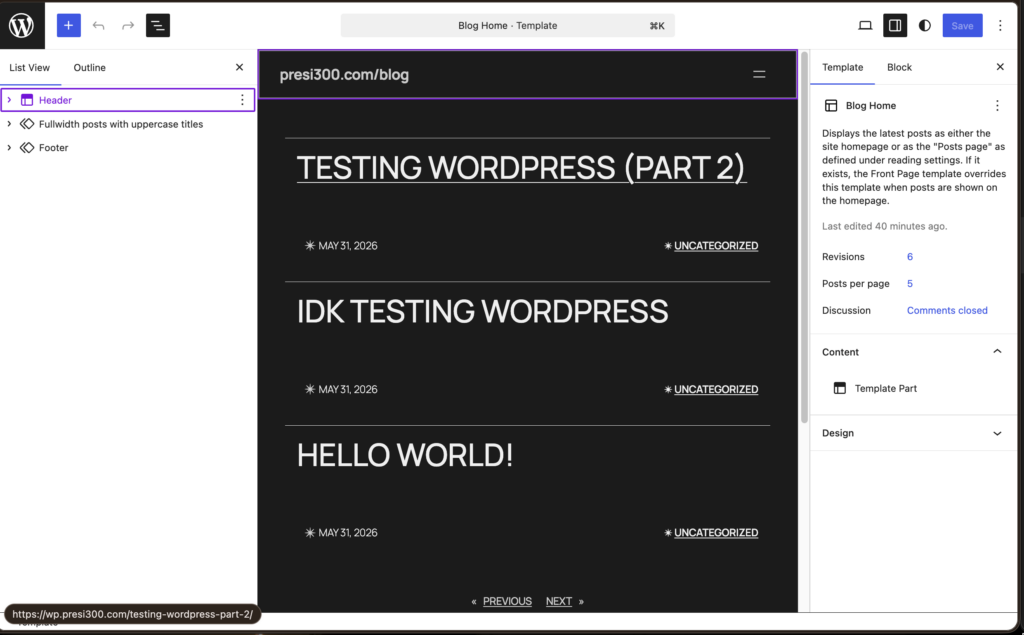
But it really, really does not work like figma.
The unintuitiveness starts when you first load the editor, as the tree view (left sidebar) is inexplicably disabled by default. This took me an embarrassing amount of time to figure out, during which I kept on thinking “There is no way it’s this bad” and no, it isn’t, I just needed to press the unlabeled button to enable the tree view. After which I wanted to add padding to the element where all the posts appear, as by default, using the “twenty twenty five theme” it covers the entire screen width and just looks wrong.
Now, I will admit my own fault of not really knowing how the editor works, but to add padding you can’t simply click on the element and drag a slider, no. For a template part (which is what this component is by default) you need to click on it, then click on “edit original” which brings you to an entirely separate page, which then allows you to edit the template part’s original. This once again took me an embarrassing amount of time to figure out, but the next one I’m still confused by.
You cannot detatch component instances from the template (or at least I could not ever figure it out. I don’t know if “component” is the correct term here (I use react, everything is a component to me).
(I’m referring to these things)
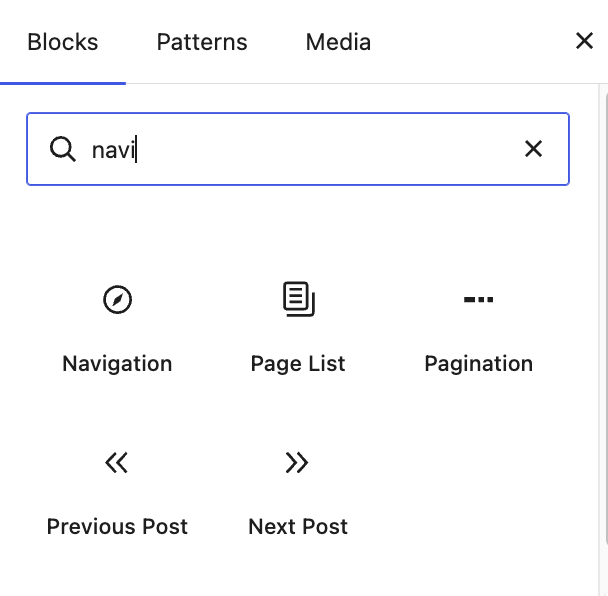
But yeah, I could never find a way to detatch an instance of these from the main thing… Meaning that I couldn’t for example edit the navigation component without affecting all other navigation components currently on the site… Again, not the end of the world but kinda strange. And the last frustration I’ve had with the wordpress theme editor (for now) is that the overlay editor is just… bad.
No, really, it’s just bad. From what I can see, it’s just straight up incapable of creating overlays which do not cover the entire page width graphically.
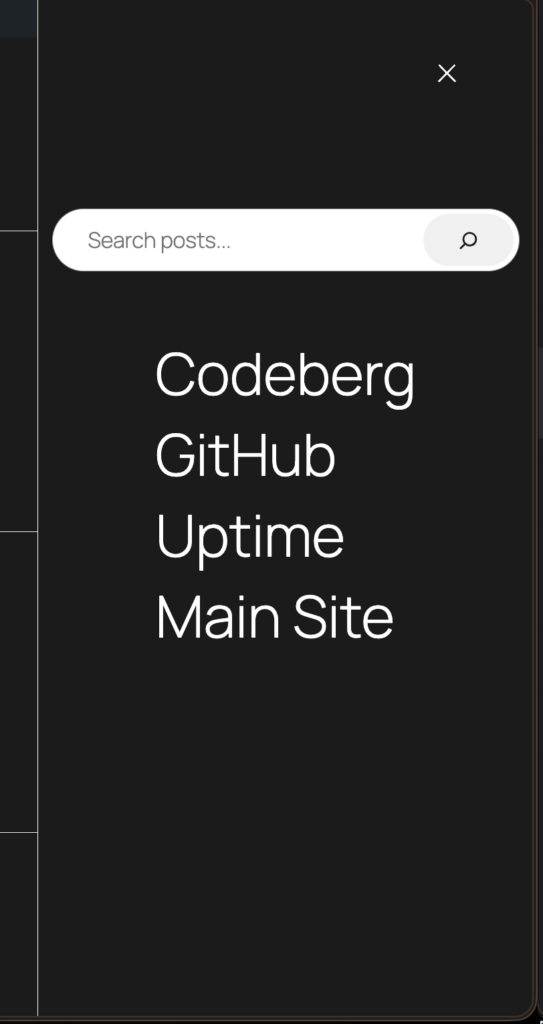
This sidebar? I had to edit the CSS to get it to look like this and it entirely nuked the graphical part of the overlay editor…
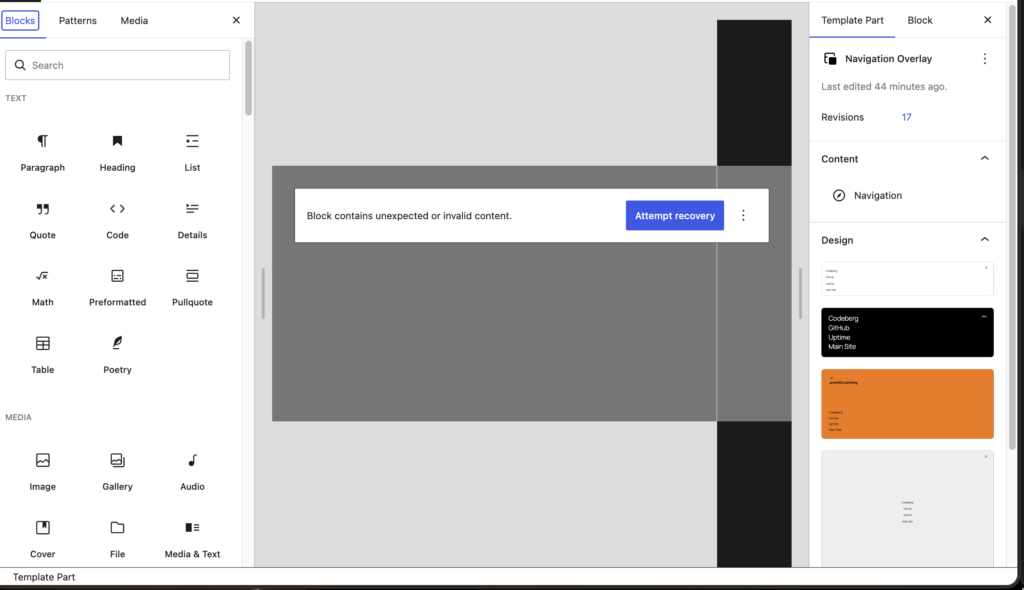
I’m sure that I’m doing something wrong, but surely having “max-width: 30vw” isn’t such an impossible thing to achieve, right?
Overall, the editor theme editor isn’t “unusable” but I definitely felt like I was fighting it rather than using it to get things done…
Also, sidenote, the built-in code editor is just… bad.
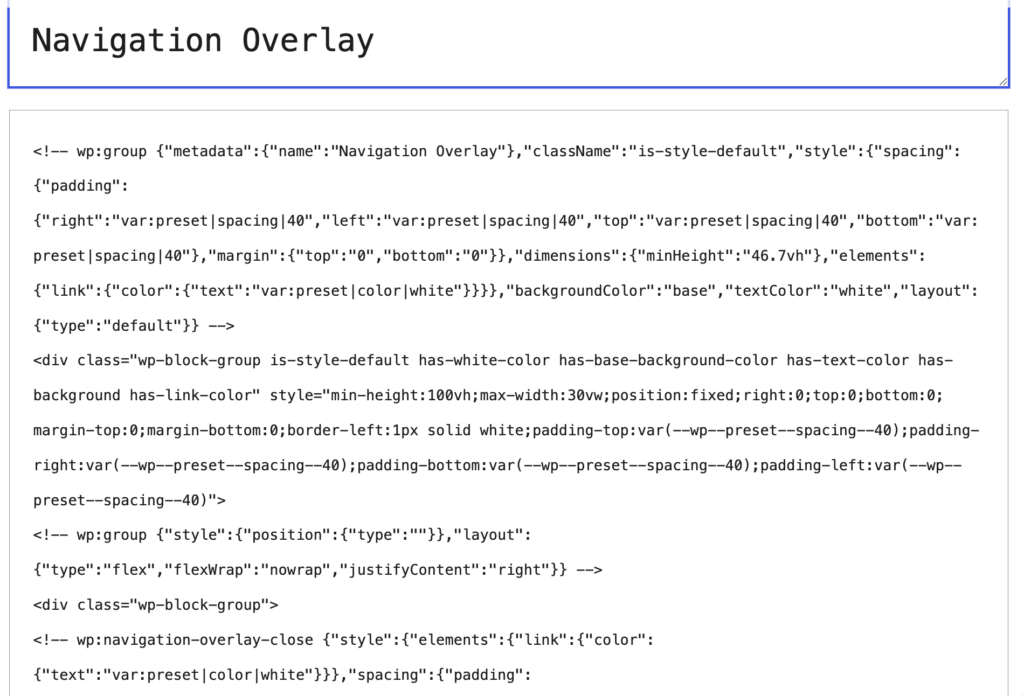
Syntax highlighting? Never heard of it.
Ok I’m done with the bad, now it’s time for some good.
The good
I was debating putting the good part above the bad part because well, the bar part really is just a bunch of nitpicks that I just had a lot to say about, but oh well.
I want to stress that my overall experience with the platform has been positive so far, which is honestly kind of shocking to me. I’ve spent years thinking of WordPress as this clunky, convoluted outdated mess but in my experience so far it’s been anything but that.
1. It’s very simple… No, really.
I mentioned this above but setting up WordPress is really, really easy. You can go from running the docker compose to writing a blog post in 10 minutes easy. You start the server, create your admin account, set the URL of the site and you’re in… Nothing else to it. Now to be fair, I’d like to think that I am fairly experienced in selfhosting, as I host quite a few things and I am *very*used to spending 30 minutes fighting some obscure error that tells you nothing and is basically a giant middle finger telling you to “debug yourself lmao”. Especially given how complex WordPress is, I expected this exact thing to happen but… No, it just started and worked, no extra magic required.
Another this that I was not expecting is just how simple the configuration interface is.
When you first login to the admin interface, it looks like an aircraft control panel, but 3 clicks in and you’ve basically figured it out.
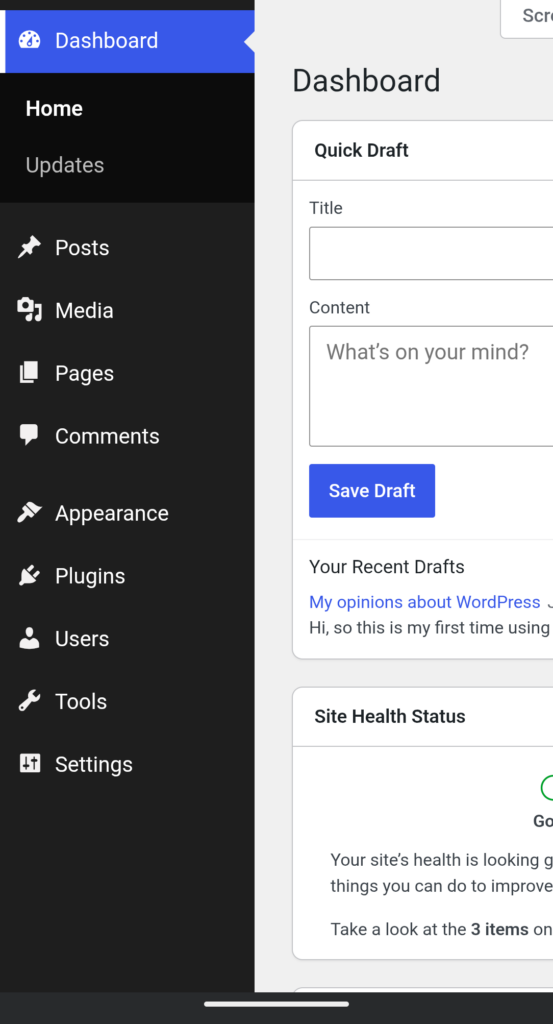
Again, looks daunting but it really is as simple as it gets.
Ok but what about the experience of actually using it?
2. It’s nice, I don’t know what else to say about it
The problem with posts like these (at least for me) is that they always end up sounding negative, even though I’m mostly positive about the thing I’m writing about. I just really don’t have a lot to say about things that work exactly as intended.
The post writer is nice, the interface is intuitive and it works perfectly on both desktop and mobile.
It’s also a perfectly competent CMS with a REST API (which I’ve yet to look to deeply into but looks simple enough on the surface.
Again, there just really isn’t that much to say about it other than “It’s nice and works well”.
But why WordPress
I’m lazy. Simple as that. I could spend 2 months figuring out how to write a proper blog, deal with databases, authentication, creating my own REST API and all that jazz.
I could also do… Literally anything else that I find more enjoyable.
As for why WordPress in particular… A friend pressured me into trying it.
I was initially going to try something like Ghost or WriteFreely but WordPress won.
Will I replace my entire website with WordPress? No. I like frontend stuff and designing, so my main site is going to remain a 100% authentic, organic mess. As for how I’m gonna integrate this blog with it… For now, I’m not sure. As I mentioned above, WordPress does have a REST API so I could use that, despite the NextJS docs recommending that I use an extension that uses GraphQL for… Some reason idk. I could also just embed the main page within an iframe and be done with it, who knows.